Manager Operations

A narrated ChundR walkthrough from morning plan through approved closeout.

ChundR
MASTER YOUR TERRAIN
MANAGER PREVIEW
Manager Operations Walkthrough

Run the day.Keep the record.

One Air Raid workday, followed from morning plan through approved closeout.

23-SLIDE TRAINING PREVIEW
01 — The operating problem

The day arrives in pieces

Texts, photos, verbal updates, weather changes, equipment status, schedule shifts, and unfinished follow-ups compete for attention.

6:42 AMRain overnight
Text message“U27 is making noise”
Photo albumTree down somewhere
YesterdayEOD still missing
02 — Home

A useful morning brief

Conditions, active work, staffing, requests, issues, and reports arrive in priority order.

☁
Regional Conditions
A
Air Raid · Ready
2
Operational requests
!
High-priority issue
E
EOD ready to review
Manager attentionWhat changed since yesterday?
Signal, not noiseOnly operational actions notify
03 — Project setup

One project becomes the source of truth

Air Raid carries its objective, crew, equipment, access, expected production, and contingency plan.

AIR RAID
Lip reshaping + drainage cleanup
Lead assigned Kubota U27 400 LF goal Plan B ready
04 — Schedule

Plans match real capacity

Projects stop being calendar blocks and become staffed, equipped, weather-aware work plans.

1Air Raid scheduledProject
2Lead and crew confirmedPeople
3U27, trailer, truck assignedAssets
4Weather and Plan B checkedReady
05 — Precon

The plan survives the handoff

Priorities, hazards, access, required photos, and finish expectations stay attached to Air Raid.

Manager directiveRestore drainage first. Preserve the outside edge. Photograph the completed outlet.
Manager
Lead
Crew
Evidence
Record
06 — Team Lead handoff

One field plan replaces the scavenger hunt

The lead starts Air Raid and finds every action needed for the day in one portal.

▶
Air Raid active
Precon acknowledged
Progress · Photo · Issue
Request · Inspection
Miles · Hours · Time Tax
Finish Day
07 — Progress

Visibility without micromanagement

ChundR surfaces changes that affect the plan while routine details roll into closeout.

Start
10 AM
Noon
2 PM
EOD
Air Raid progress
340 LF
Goal: 400 LF
08 — Requests

Needs become trackable decisions

Every request carries project context, ownership, time, and status.

1Lead requests waterAir Raid
2Manager reviews needNew
3Water trailer approvedApproved
4Delivery confirmedComplete
09 — Direct and project messaging

One person or the whole team

Send a private operational message, notify the assigned project team, or reach a permitted role without leaving ChundR.

Air Raid · Weather change · UrgentShift to drainage cleanup. Meet at the south access gate. Acknowledge before mobilizing.
1Direct message or project updateMessage mode
2Choose one person, project team, or roleAudience
3Recipients open and acknowledgeResponse
4Manager confirms the handoffReceipt
5Project update stays with Air RaidRecord
09 — Issue management

A report becomes a verified repair

The pin, photo, priority, assignee, status history, and completion proof remain one record.
Report
Review
Assign
Resolve
Verify
Air Raid · High priorityTree down across trail
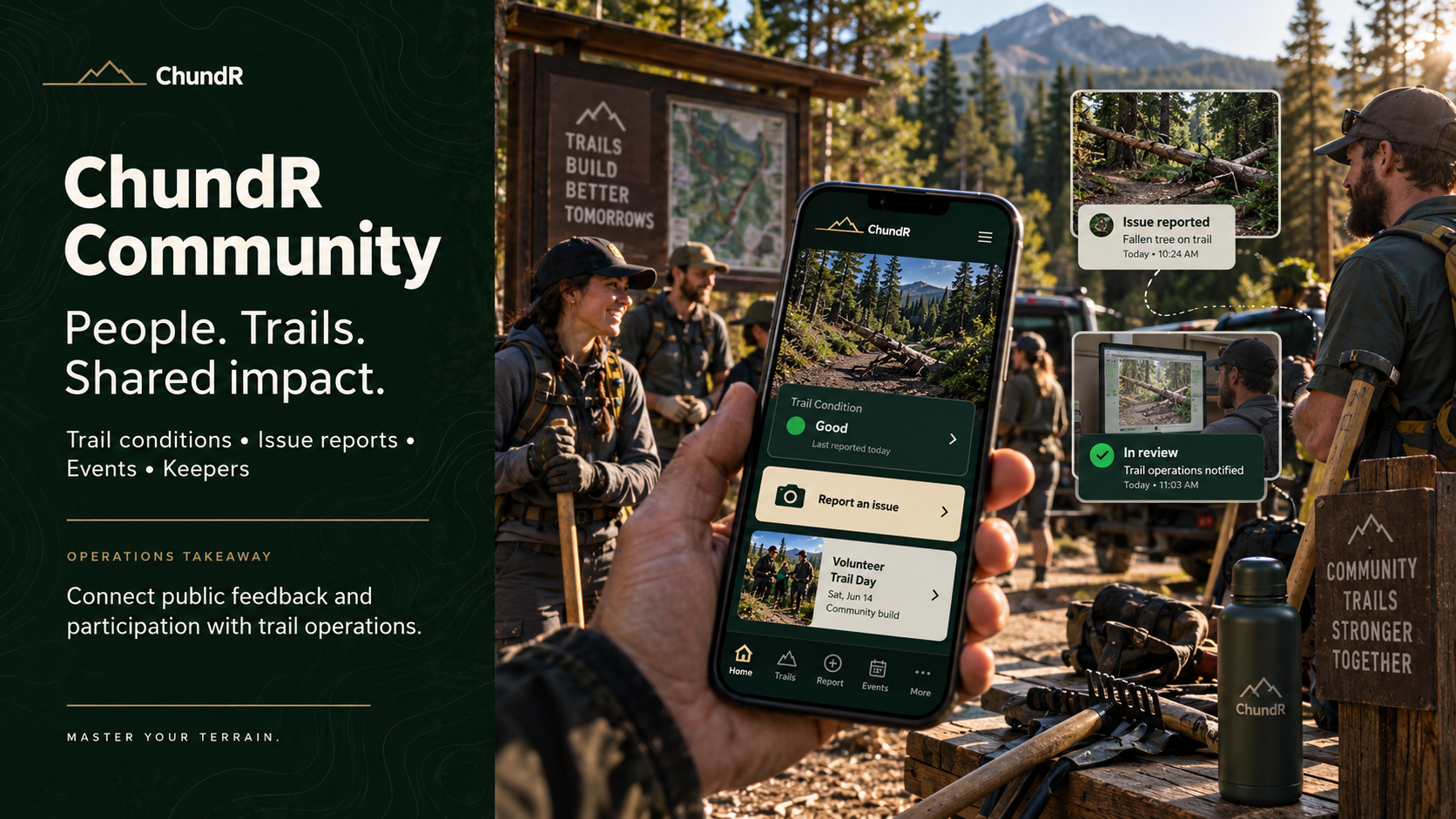
ChundR Community: People. Trails. Shared impact.
10 — Field map

The map becomes the operation

Trails, projects, issues, access, assets, and arrival cues share one field picture.
On Trail proximityTree down · 180 feet ahead
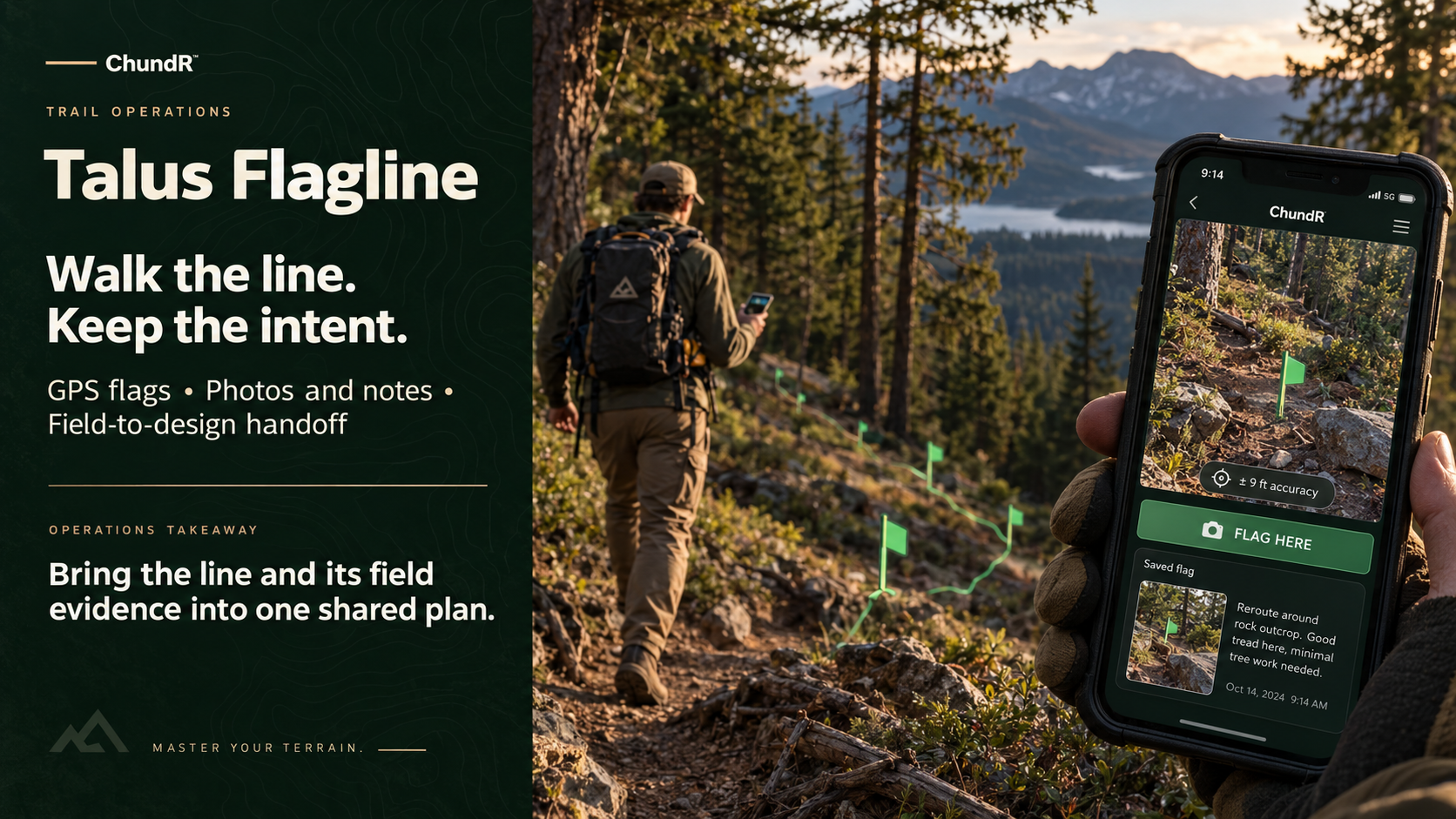
Talus Flagline: Walk the line. Keep the intent.
12 — Field intelligence

Better decisions begin on site

Smart Builder combines field photos and plain-language intent with practical tools for drainage, grade, angles, weather, and construction planning.

Field photoWater crossing the tread
Smart BuilderRecommend armored drain crossing
Field ToolsGrade 4.5% · Outlet confirmed
Manager decisionReview concept and assign work
Talus Design: From terrain to a shared plan.
13 — Guides and Training

Standards travel with the crew

Role-specific playbooks turn proven methods into accessible field guidance without replacing manager direction.

1Drainage and grade reversalsBuild standard
2Compaction and finish qualityQuality
3Inspection and safety checksVerification
4Equipment setup and careAssets
5Project-specific PreconManager intent
11 — Assets

Every asset keeps its history

QR access connects field equipment to inspections, service, issues, assignments, and project use.

Kubota U27Assigned to Air Raid
InspectionCompleted 6:58 AM
ServiceHydraulic check due in 12 hours
12 — Production context

The number gets its why

Time Tax explains how weather, equipment, access, added scope, and interruptions affected production.

Daily goal
400
linear feet
Completed
340
linear feet
Documented Time TaxWater trailer 20m · Tree response 30m · Weather hold 25m
13 — EOD

One clean closeout

The day’s field entries become a complete EOD with less repeated typing.

✓340 LF completedProgress
6Photos attachedEvidence
7.4Machine hoursAsset
75mTime Tax explainedWhy
→Send to ManagerReview
14 — Review and approval

Close the day with evidence

Open, review, approve, preserve, and export the report directly from the manager workflow.

Air Raid EOD · Ready for reviewSeptember 20 · Team Lead · 340 LF
Manager actionApprove report
External useGenerate PDF
15 — Operational memory

The work becomes searchable knowledge

Records preserve the facts. Talus helps managers understand what those facts mean.

ASK
TALUS
QuestionWhy did Air Raid miss goal?
Answer grounded in EOD75 minutes of documented Time Tax
Manager payoff

Less chasing.More control.

Plan the work, see what changed, understand the result, and keep the operational record.

CHUNDR · MASTER YOUR TERRAIN